
How to Document Ownership of Sensitive Encrypted Archives
You might have done everything right technically: strong encryption, carefully chosen passwords, and multiple backups of the same encrypted archive. Yet when an audit, legal review, or internal investigation arrives, a new question appears: Can you actually prove that this archive is yours, that you had the right to create it, and that it was handled responsibly?
This is where many individuals and teams discover a gap. The archive is secure, but the ownership story is vague. Who created it? Under which policy? Which systems did it travel through? Who was allowed to open it? Without clear documentation, even legitimate access can look suspicious or non-compliant — especially when regulators, auditors, or external partners are involved.
This article explains how to build practical, real-world documentation around your own sensitive encrypted archives. You’ll see how to connect technical facts (keys, formats, storage paths) with human facts (roles, approvals, workflows) so that ownership is demonstrable, auditable, and easy to understand years later — all while keeping privacy and legal boundaries front and center.
🧭 Navigation
Important
The information provided in this article applies exclusively to RAR / WinRAR archives for which you have full, demonstrable ownership or properly documented authorization. If you are not the rightful owner of the data, do not directly control it, or cannot clearly prove permission to access it, you must stop immediately. Attempting to access, recover, or modify data without explicit authorization may violate criminal law, civil statutes, corporate compliance requirements, and privacy regulations in many jurisdictions. You alone are responsible for ensuring that your actions are lawful and properly permitted before proceeding.
📌 TL;DR — Ownership Documentation in One Glance
Strong encryption alone does not prove that an encrypted archive is yours or that you handled it responsibly. Ownership documentation is the paper trail (or digital trail) that explains what the archive is, who controls it, and under which rules it was created and used. Without that trail, audits, legal reviews, or internal investigations may be forced to rely on guesses and memory instead of clear evidence.
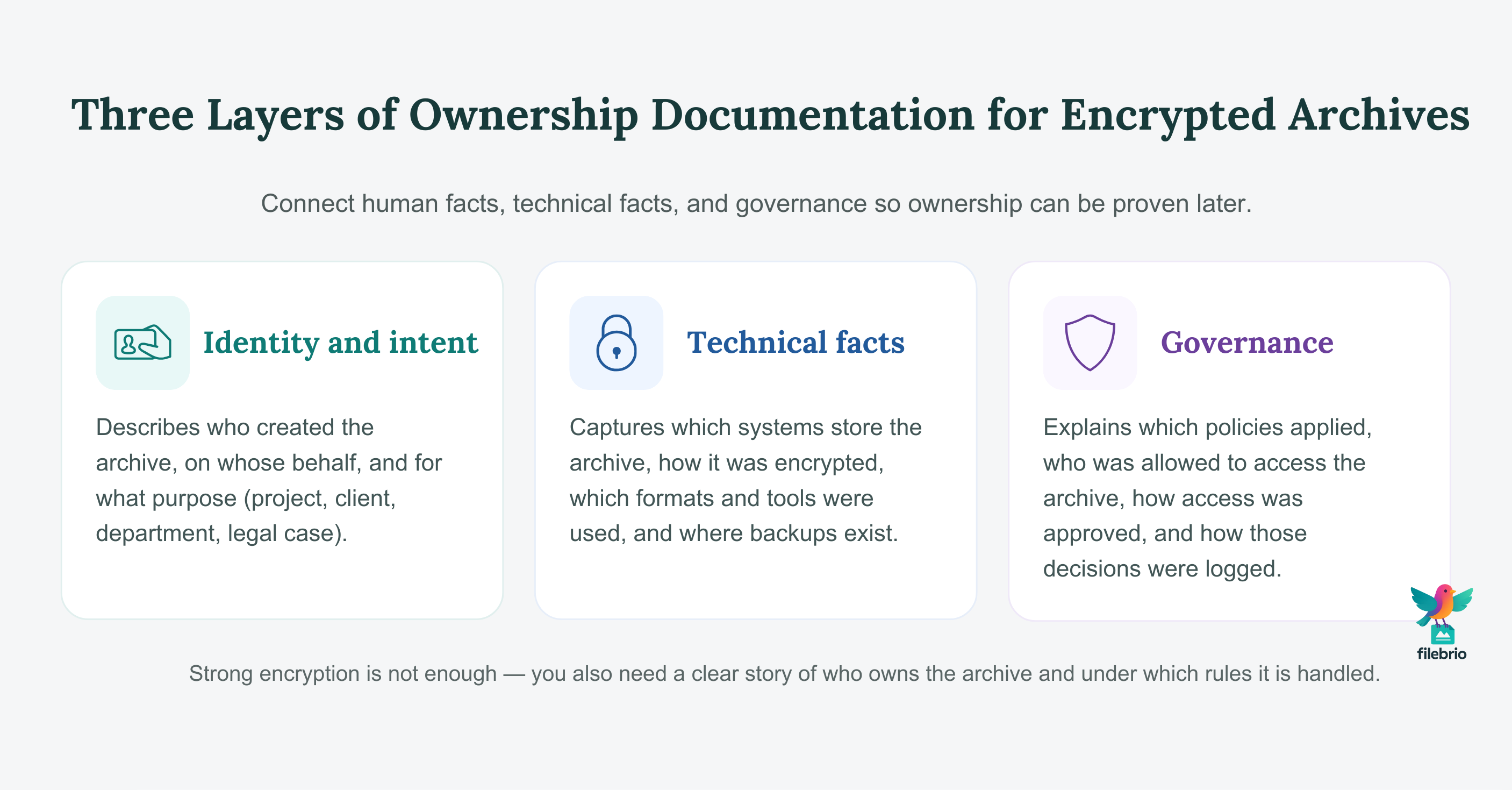
Good ownership records usually combine three layers:
- Identity and intent: who created the archive, on whose behalf, and for what purpose (project, client, department, legal case).
- Technical facts: which systems stored it, how it was encrypted, which formats and tools were used, and where backups exist.
- Governance: what policies applied, who was allowed to access it, and how that access was approved and logged over time.
For individuals, this might be as simple as a private encrypted note describing the archive’s purpose and password hints. For teams and enterprises, it often becomes a structured set of records: tickets, forms, metadata fields, and storage diagrams that can be shown to auditors or regulators. In every case, the guiding principles are the same: record only what you need, keep sensitive details protected, and make it easy for a future, less-stressed version of you (or a future colleague) to answer the question, “Whose archive is this, and how do we know?”
🧠 Why Ownership Documentation Matters for Encrypted Archives
Encrypted archives exist to protect data, but protection alone is not enough in regulated or collaborative environments. At some point, someone will ask, “Who owns this?” or “Who authorized this encryption and storage?” If you cannot answer clearly, you may face delays, suspicion, or even compliance issues — even when everything you did was legitimate.
Clear ownership documentation supports several real-world needs:
- Compliance and legal clarity. Many organizations must show that encrypted archives were created and handled according to specific rules. Guidance such as legal factors when accessing your encrypted RAR files ↗️ highlights how regulators expect traceability, not just technical security.
- Internal accountability. When multiple teams handle sensitive material, you need a way to see which department or project “owns” a given archive and who can sign off on access decisions. Principles from ethical ways to handle your encrypted RAR files ↗️ apply directly here: ownership records reduce ambiguity and help prevent misuse.
- Faster incident response. If something goes wrong — a lost laptop, suspected exfiltration, or unexpected archive on a server — documented ownership lets you quickly contact the right people and understand the risk.
- Continuity when people change roles. Staff turnover is inevitable. Without ownership records, archives risk becoming “orphans” that nobody understands or dares to touch.
Documenting ownership is not about adding bureaucracy for its own sake. It is about making sure that your encrypted archives can be defended, explained, and responsibly accessed when the stakes are high.
🧾 Key Elements of a Solid Ownership Record
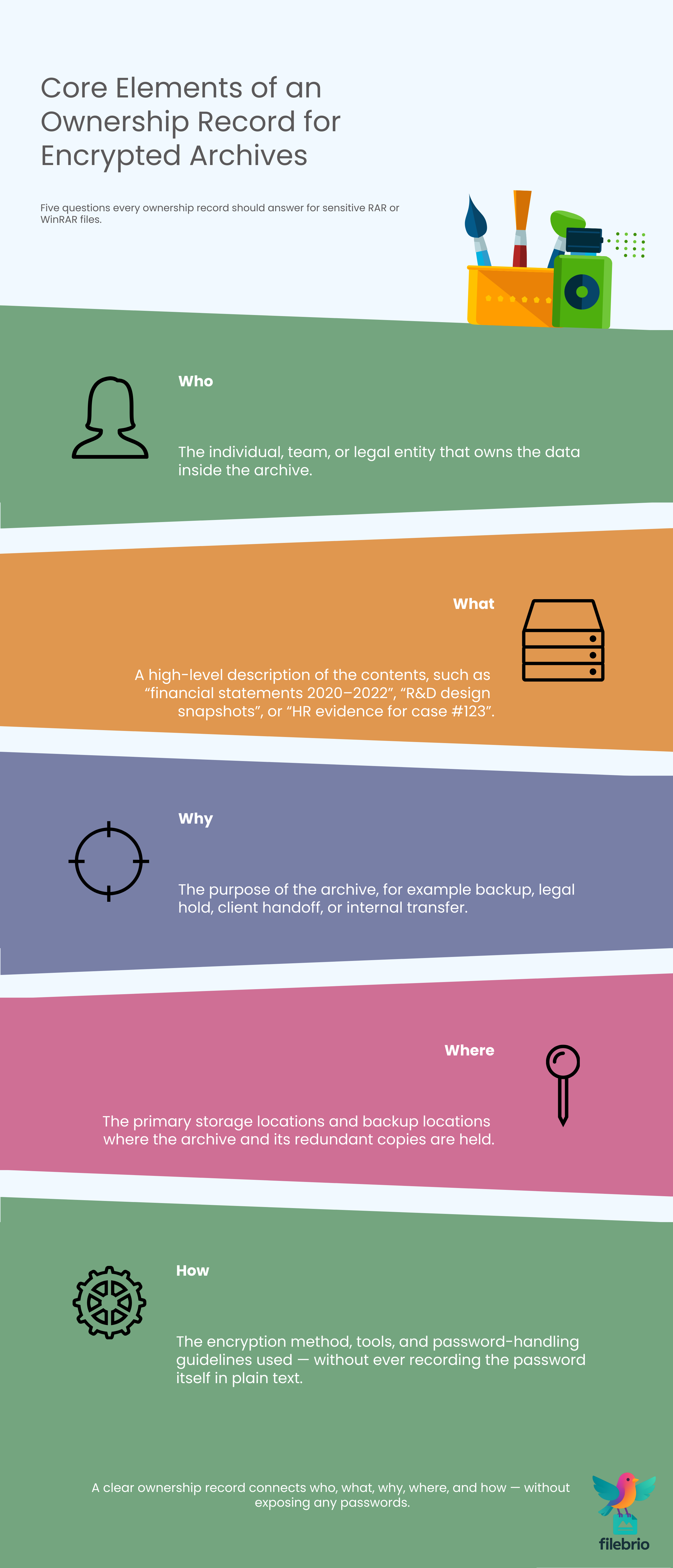
Ownership documentation does not need to be complex, but it should consistently answer a few core questions. For encrypted RAR archives, a practical record often includes:
- Who: the individual, team, or legal entity that owns the data inside the archive.
- What: a high-level description of the contents (for example, “financial statements 2020–2022,” “R&D design snapshots,” “HR evidence for case #123”).
- Why: the purpose of the archive (backup, legal hold, client handoff, internal transfer, etc.).
- Where: the primary storage location(s) and backup locations.
- How: the encryption method, tools, and password-handling guidelines (without revealing the password itself).
Before anyone tries to regain access, it is also important to verify that they are working with their own data. The high-level checks suggested in how to verify ownership before accessing your RAR file ↗️ can be used as part of your standard operating procedure: confirming project codes, ticket references, or client identifiers before any sensitive action is taken.
On the personal side, you may also need a safe way to remember how a password relates to the archive. Techniques discussed in how to organize metadata for your RAR passwords safely ↗️ show how to keep hints and context without writing the password in plain text. Combined with ownership records, this makes it much easier to show that a specific archive is genuinely yours — and to regain access if you ever need to.
💼 All-In-One Toolkit for Proving and Preserving Ownership
In practice, proving ownership of encrypted archives is rarely just a paperwork exercise. You often need to inspect the archive itself: confirm its structure, verify that it has not been tampered with, and check whether it matches the documented purpose and timeframe. Doing this safely, without leaking data or scattering copies across random utilities, is much easier with a dedicated, offline toolkit.
FileBrio RAR Master, part of the FileBrio Office Suite, is designed around this kind of controlled environment. Instead of relying on a mix of generic tools, you can use one RAR-focused application to:
- Review structural metadata that supports your ownership records (archive creation dates, volume layout, encryption modes).
- Verify that the archive on disk matches what your documentation describes (size, format, protection level).
- Perform diagnostics and access evaluation without uploading sensitive material to online services.
| Ownership Question | Risk Without a Structured Tool | How FileBrio RAR Master Helps |
|---|---|---|
| “Does this archive match the project described in our records?” | Relying solely on memory or filenames | Check metadata, timestamps, and structure in one place |
| “Is this copy intact and unmodified?” | Skipping integrity checks before important reviews | Run offline diagnostics tied to your documentation process |
| “Can we examine it without exposing data?” | Using online tools whose handling of data is unclear | Keep all inspection and planning strictly local |
For teams that want to standardize how they handle RAR archives from creation through audit, it’s helpful to align documentation with capabilities listed in the FileBrio RAR Master features ↗️ overview, then roll out a consistent installation for all relevant staff. When you are ready to add this to your environment, you can obtain the suite from the official FileBrio Office Suite download page ↗️ so every workstation works with the same trusted build.
________________________
FileBrio RAR Master — part of the FileBrio Office Suite — is a privacy-first, offline Windows toolkit for diagnosing and safely regaining access to your own password-protected RAR / WinRAR archives.
- Local processing only — nothing leaves your PC.
- Smart diagnostics to separate password issues from corruption.
- Owner-verified recovery workflows designed strictly for legitimate use.
Reminder: FileBrio RAR Master may be used only with archives you own or are explicitly authorized to access. It performs all analysis and recovery operations locally on your device, without uploading data anywhere.
________________________
📊 Designing Documentation for Different Sensitivity Levels
Not every encrypted archive needs the same level of ownership documentation. A personal archive of old photos demands less formality than a legal evidence bundle or a regulated customer data set. Designing your documentation with tiers of sensitivity helps you avoid over- or under-engineering.
For example, you might distinguish between:
- Personal / low-risk archives. Simple notes about purpose, owner, and storage location may be enough.
- Internal confidential archives. Add references to tickets, approval flows, or internal policies that justify creation and retention.
- Highly sensitive or regulated archives. Require explicit ownership records, multi-person approval, and formal retention and deletion rules.
Each tier can also define what evidence is stored with the archive and what remains in centralized systems. For instance, for highly sensitive corporate data, your records might specify which business unit owns the content, under what policy it is protected, and which authorized recovery paths exist. This aligns with approaches described in how to protect sensitive files while allowing authorized recovery ↗️, where you balance strict protection with the practical need to regain access when something goes wrong.
The more sensitive the archive, the more important it becomes to maintain clear separation between password secrets and ownership facts. Your documentation should help prove that you are the rightful owner or custodian, without ever exposing keys that would allow unauthorized parties to open the archive on their own.
🤝 Coordinating Teams, Roles, and Access Trails
Ownership becomes complex when many people share responsibility. A single encrypted archive might be created by one team, stored by another, and accessed by auditors or external partners years later. Without shared practices, everyone assumes someone else is tracking ownership — until nobody can prove it clearly.
To avoid this, treat ownership documentation as a team discipline rather than an individual habit:
- Assign clear custodians. Every sensitive archive should have a named individual or team responsible for its lifecycle.
- Record role-based access, not just names. Document which roles (for example, “HR lead,” “security officer”) are allowed to approve or request access, so the process survives staff turnover.
- Capture access decisions. When someone is granted temporary access to an encrypted archive, ensure that the decision and its justification are recorded somewhere traceable.
Ownership documentation also benefits from structured password metadata at the team level. Practices described in safe ways to distribute password notes for your team’s RAR files ↗️ help you provide enough context for future colleagues without handing them raw passwords. Meanwhile, long-term continuity strategies like how to maintain long-term access to encrypted RAR archives (teams & enterprises) ↗️ explain how to keep access viable across reorganizations, system migrations, and leadership changes.
When everyone understands how ownership should be recorded — and which tools and forms to use — your archives stop being mysterious blobs on a server and become well-governed assets that can withstand scrutiny.
🛡️ Secure Offline Environment for Sensitive Ownership Evidence
Some ownership evidence is almost as sensitive as the archive itself. Lists of who can access a legal case file, references to internal investigations, or descriptions of high-impact data all need careful handling. It is risky to scatter this information across ad-hoc text files, personal notes, or web-based utilities that you don’t fully control.
FileBrio RAR Master helps you keep the technical side of ownership — structure, integrity checks, format diagnostics — inside a controlled, offline environment. Combined with your existing ticket or documentation system, it supports workflows where:
- You examine encrypted archives locally when building or updating ownership records.
- You verify that documented storage paths and formats match the reality on disk.
- You perform all sensitive diagnostics on machines that are already governed by your security and compliance policies.
Teams that need repeatable, audit-ready workflows can connect RAR Master usage with formal documentation and user guidance, such as information published in the RAR Master help and answers ↗️. When deploying at scale, obtaining the suite via the official FileBrio Office Suite download ↗️ page ensures everyone uses an authorized, up-to-date version that fits within your broader governance model.
________________________
FileBrio RAR Master — a secure, offline Windows toolkit for regaining access to your own password-protected RAR / WinRAR archives while keeping all data strictly on your device.
- Offline-only processing — never uploads your archives.
- Smart issue detection — password vs corruption.
- Fast recovery workflow optimized for legitimate ownership.
⬇️ Download FileBrio RAR Master
Reminder: FileBrio RAR Master is intended only for archives you own or are explicitly authorized to access. All operations run locally on your PC.
________________________
🗄️ Storing Ownership Evidence Alongside Encrypted Archives
Once you have designed an ownership model, you still need to decide where to keep the evidence. Storing everything in one place is convenient but risky; scattering it across many disconnected systems is safer in theory but harder to manage.
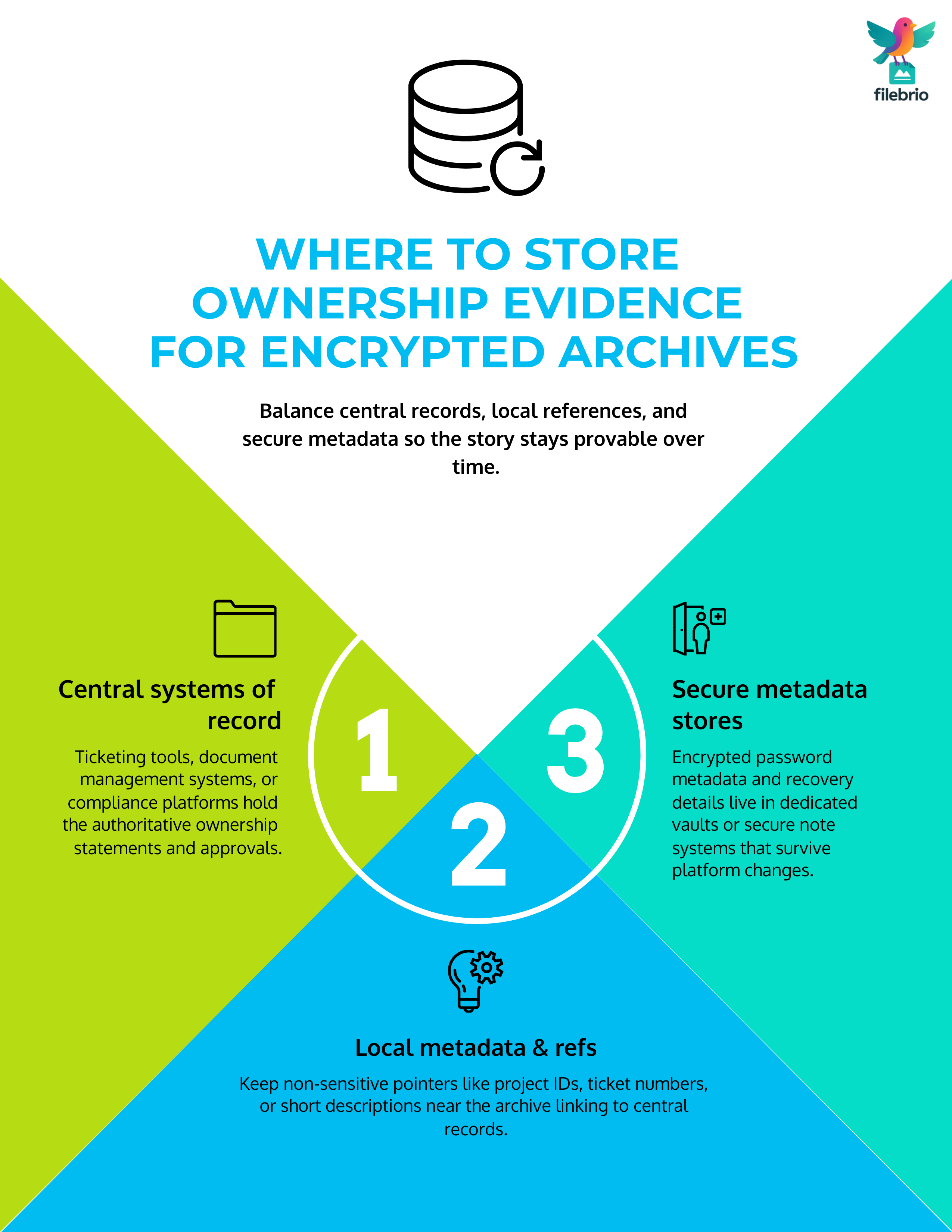
In practice, most organizations benefit from a layered approach:
- Central systems of record. Ticketing tools, document management systems, or compliance platforms hold the authoritative ownership statements and approvals.
- Local metadata and references. Near the archive itself (for example, in the same directory or repository), you can keep non-sensitive references: project IDs, ticket numbers, or short descriptions.
- Secure metadata stores. Encrypted password metadata and recovery details live in dedicated vaults or secure note systems.
For long-term access, it’s important that your metadata strategy survive technology and tooling changes. The guidance in how to safely store RAR password metadata for future access ↗️ is useful here: choose formats and systems that are likely to remain understandable and exportable, and avoid tying ownership records to a single proprietary platform that may disappear.
The end goal is that anyone with the right authority can follow the breadcrumbs: from the encrypted archive, to its local metadata note, to the central ownership record and associated approvals, without ever needing to guess or reconstruct the story from memory.
⚖️ Handling Audits, Legal Requests, and Incident Reviews
When an external auditor, regulator, or legal team asks about an encrypted archive, you want to be ready with clear, concise evidence rather than a scramble through old emails and folders. Good ownership documentation makes these moments more predictable and far less stressful.
At a minimum, you should be able to demonstrate:
- Which entity or department owns the data inside the archive.
- Why the archive was created and why it is still retained.
- How access is controlled and under which conditions it may be granted.
- Where the archive is stored and what redundancy or protection measures exist.
It is equally important to show that your tools and workflows respect responsible-use guidelines. For example, when you handle RAR ownership alongside recovery or diagnostics tasks, it helps to align your practice with the official legal and responsible use policy ↗️ for your chosen software. This reassures auditors that encrypted archives are not only technically secure but also managed under a documented, policy-compliant framework.
Finally, when incidents occur — such as suspected unauthorized handling or lost devices — your ownership records become part of the evidence that you took reasonable, planned measures to protect sensitive archives, not ad-hoc steps after the fact.
📜 Legal Reminder for Working With Encrypted Archives
This article is provided for general informational and educational purposes only. Any examples, scenarios, or references to password recovery, archive security, or related tools (including FileBrio RAR Master or similar software) are intended solely to help you better understand how to protect and manage your own data.
You may only apply any techniques, workflows, or tools described here to files and archives that you fully own or are explicitly and verifiably authorized to access. Attempting to bypass, remove, or recover passwords for third-party data without clear permission may violate criminal law, civil law, or internal company policies in your jurisdiction.
Nothing in this article constitutes legal advice. Laws and regulations differ between countries and organizations, and you are solely responsible for ensuring that your actions comply with all applicable legislation, contracts, and internal policies. If you are unsure whether a particular action is lawful or permitted, consult a qualified legal professional before proceeding.