

What “Bypass RAR Password” Really Means — And How to Access Your Own Archives Safely
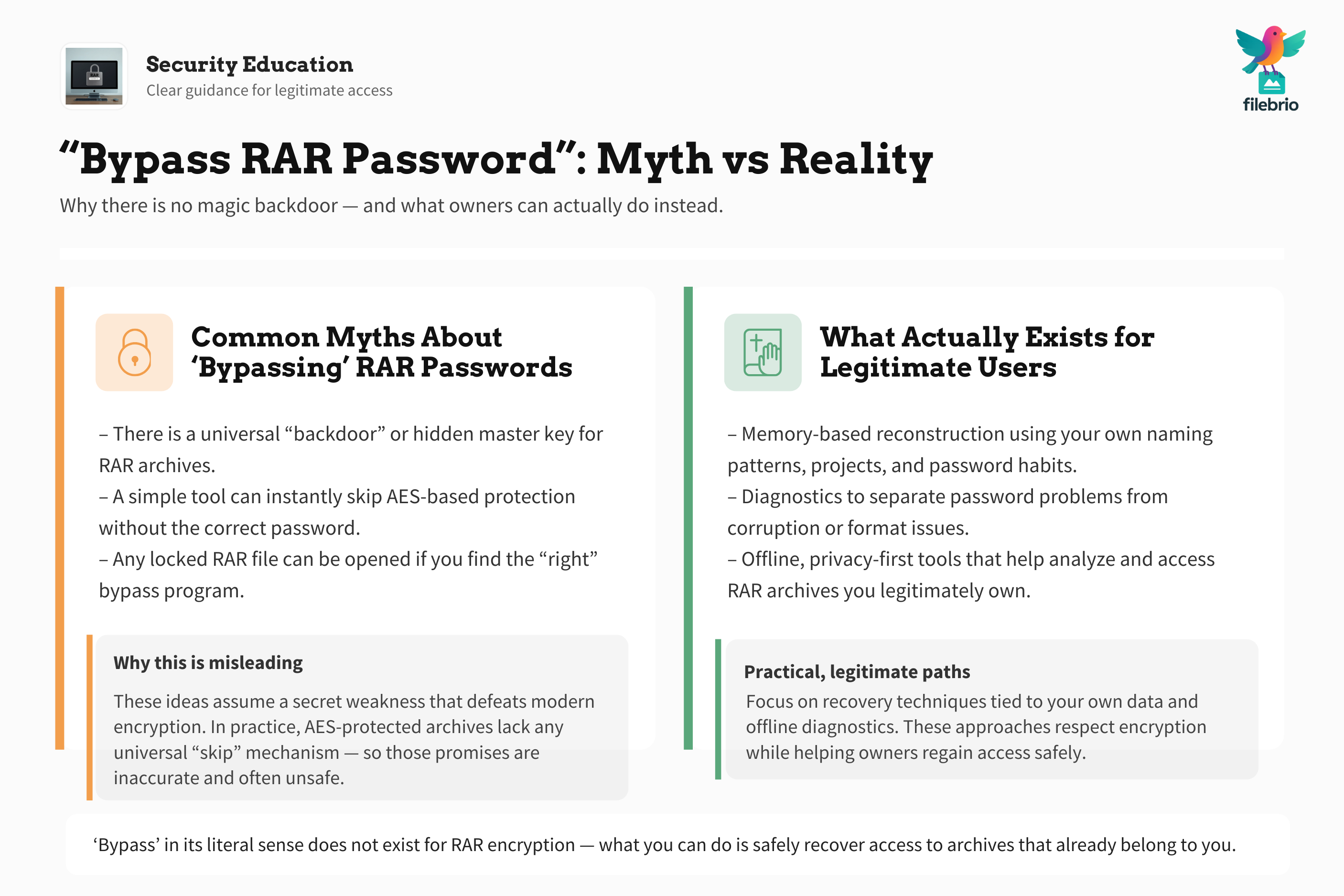
Countless users search online for “how to bypass a RAR password,” usually out of frustration — a forgotten credential, an old backup that no longer opens, or a critical archive that nobody in the office remembers securing. But behind the search term lies a misunderstanding: there is no literal “bypass” for RAR encryption.
What users truly want is a safe, legitimate way to access their own files again while avoiding shady tools, privacy risks, or irreversible mistakes. This guide explains what “bypass” actually refers to in real-world scenarios, what is technically possible, what is not, and how to regain access responsibly — while staying within legal and ethical boundaries.
🧭 Navigation
Important
The information provided in this article applies exclusively to RAR / WinRAR archives for which you have full, demonstrable ownership or properly documented authorization. If you are not the rightful owner of the data, do not directly control it, or cannot clearly prove permission to access it, you must stop immediately. Attempting to access, recover, or modify data without explicit authorization may violate criminal law, civil statutes, corporate compliance requirements, and privacy regulations in many jurisdictions. You alone are responsible for ensuring that your actions are lawful and properly permitted before proceeding.
📌 TL;DR — What “Bypass” Really Means in RAR Password Contexts
People who search for “bypass RAR password” are almost never looking to defeat encryption or access someone else’s protected data. Instead, they’re trying to solve a legitimate problem: regaining access to their own archive when normal methods aren’t working.
RAR encryption (RAR4 and RAR5) cannot be circumvented or skipped. There is no magic trick, universal backdoor, or “one-click bypass” button. But there are safe and lawful ways to access your own files again:
- Reconstructing forgotten passwords using memory cues, naming conventions, and work patterns.
- Reviewing metadata or earlier backups that may contain hints or older versions of the archive.
- Diagnosing extraction errors to determine whether the issue is actually corruption, not the password.
- Using offline, privacy-first recovery tools to legally attempt access to your own archive.
- Ensuring data integrity after successful access, especially if the archive was stored on unstable media.
In short: safe and lawful access is possible — but “bypass” in its literal sense does not exist. What exists is a systematic, privacy-first approach to recovering access to property you already own.
🧠 Why People Search for “Bypass RAR Password” — The Real Meaning
When people type “bypass RAR password,” they usually mean one of the following:
- “I forgot the password to my own archive.”
Often the case when archives are years old or created during urgent work. - “I know I set a password, but I no longer remember the exact variation.”
This is extremely common with reused patterns, such as project codes or naming habits. - “The archive won’t open — maybe the password is the problem.”
In reality, the issue is often corruption, not authentication. - “I want to avoid data loss if the archive is damaged.”
Users fear that brute attempts or risky tools might worsen the damage.
The term “bypass” is misleading — what users want is safe access, error diagnostics, or password reconstruction. This article focuses on those paths rather than any prohibited or unethical action.
⚠️ Risks of Misinterpreting the Term “Bypass”
Because the word is misunderstood, users may fall into risky situations:
- Unsafe online tools that claim to “unlock instantly” but upload your sensitive data to unknown servers.
- Data corruption caused by poorly written programs that modify the archive structure.
- Malware disguised as bypass utilities — a common attack vector.
- Wasted time pursuing techniques that don’t work on AES-256-based RAR encryption.
A better approach is to use safe diagnostic steps ↗️ to understand whether the real problem is the password, the format, or corruption. Users are far more successful when they first determine why the archive is inaccessible.
💼 All-in-One Workspace for Safe Access to Your Own RAR Archives
Access recovery often requires several steps: diagnosing errors, checking metadata, testing structure, extracting contents safely, and validating integrity. Doing this with scattered tools increases the risk of mistakes.
FileBrio RAR Master consolidates these tasks into a single, privacy-first workspace. It helps users:
- Determine whether the issue is a forgotten password or file corruption.
- Inspect metadata to identify file type, structure, and encryption mode.
- Analyze damage without modifying the original archive.
- Work offline to avoid privacy exposure.
Clear workflows make the recovery process safer, repeatable, and easier to document.
________________________
FileBrio RAR Master — part of the FileBrio Office Suite — is a privacy-first, offline Windows toolkit for diagnosing and safely regaining access to your own password-protected RAR / WinRAR archives.
- Local processing only — nothing leaves your PC.
- Smart diagnostics to separate password issues from corruption.
- Owner-verified recovery workflows designed strictly for legitimate use.
Reminder: FileBrio RAR Master may be used only with archives you own or are explicitly authorized to access. It performs all analysis and recovery operations locally on your device, without uploading data anywhere.
________________________
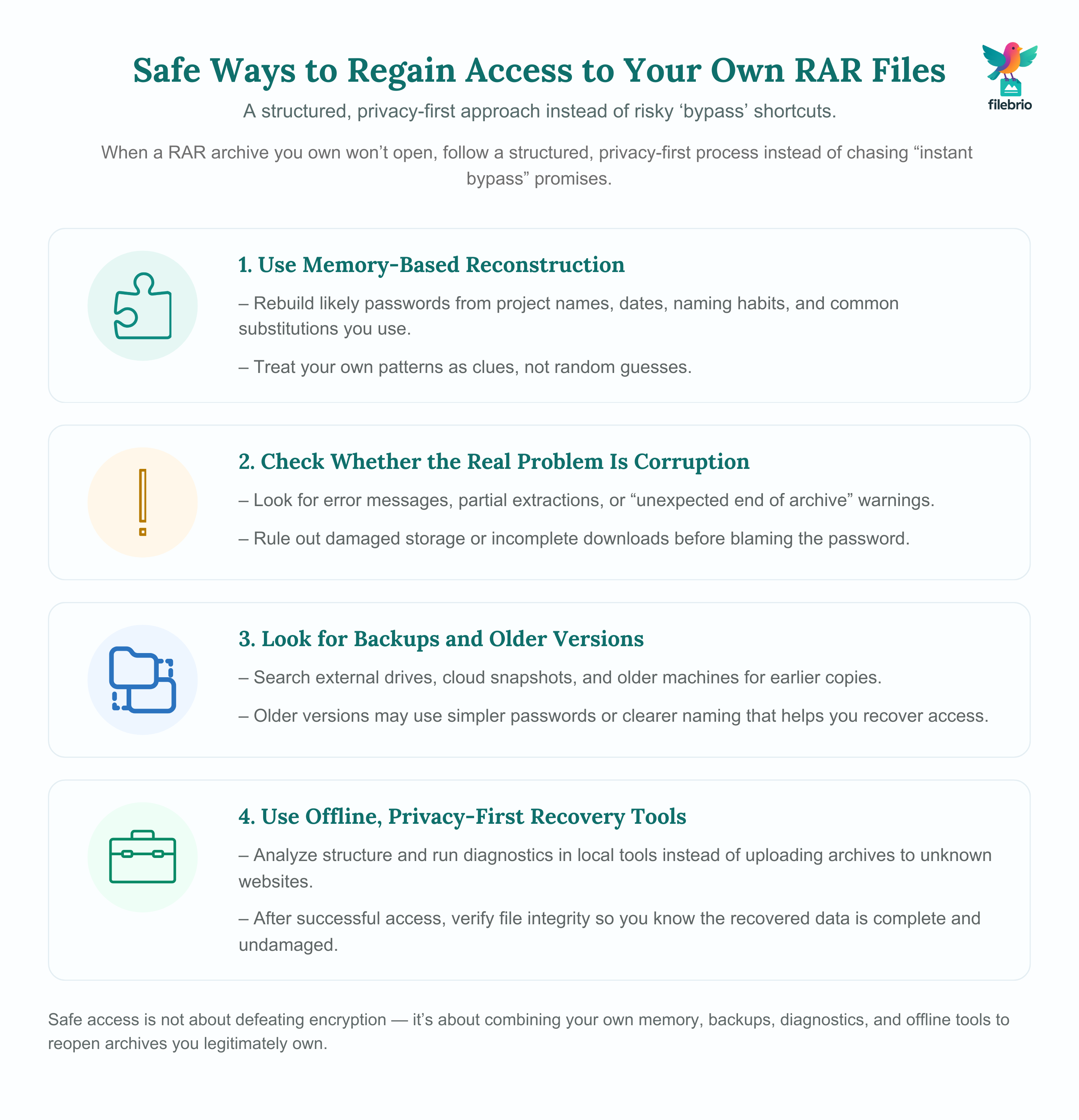
🔐 Safe, Legitimate Ways to Regain Access to Your Own RAR Files
Once you rule out corruption and confirm you’re working with your own archives, you can follow several safe approaches to regain access.
1. Memory-Based Reconstruction
Most forgotten RAR passwords aren’t random — they come from the user’s personal habits. You can analyze your own password creation tendencies much like described in how memory cues reveal your password patterns ↗️.
Effective memory cues include:
- Project names or code names
- Dates, versions, or release identifiers
- Common substitutions you use (e.g., 0 ↔ O, ! ↔ 1)
- Location-based or workflow-based naming habits
These clues often help reconstruct passwords that were forgotten months or years earlier.
2. Diagnose Whether Password Is the Real Problem
In many cases, RAR archives appear to reject correct passwords because they are partially corrupted. Users should rule out corruption using principles from damage handling guides ↗️ or unexpected end-of-archive diagnostics ↗️.
3. Recover from Backups or Old Versions
Teams often have multiple versions of an archive — stored in cloud snapshots, external disks, or older project machines. Earlier copies may:
- use easier or older passwords
- have clearer naming patterns
- contain metadata that reveals password structure
This is especially common with long-term or multi-role projects.
4. Use Privacy-First Local Recovery Tools
Instead of uploading sensitive archives to unknown websites, it’s safer to use offline tools designed for diagnostics, metadata inspection, and legitimate access recovery. These tools respect privacy and reduce exposure risk, especially for corporate archives.
Once access is regained, users should also follow guidance on how to verify file integrity ↗️ to ensure that the contents extracted are complete and undamaged.
🛡️ Why Offline, Privacy-First Tools Matter
Uploading protected archives to online sites — even those that promise a quick “bypass” — is dangerous for several reasons:
- Data exposure: Sensitive content could be stored, scanned, or redistributed.
- Compliance violations: Many businesses cannot legally upload encrypted archives to third parties.
- False promises: AES-256 encryption cannot be “instantly bypassed.”
- Damaged files: Some tools modify the archive structure, making recovery harder.
A safer approach aligns with the privacy principles described in why offline recovery tools protect privacy ↗️.
🧰 Secure Offline Toolkit for Access Recovery & Diagnostics
A dedicated offline toolkit helps users work within responsible, lawful boundaries. FileBrio RAR Master is purpose-built for secure environments and offers:
- local analysis of encrypted headers
- pre-extraction diagnostics for corruption
- offline recovery capabilities
- controlled workflows that avoid data exposure
When corruption is found during access attempts, users can leverage the Corrupted Archive Repair feature ↗️ before retrying extraction. Administrators and teams can standardize installation using the official FileBrio Office Suite download page ↗️.
________________________
FileBrio RAR Master — a secure, offline Windows toolkit for regaining access to your own password-protected RAR / WinRAR archives while keeping all data strictly on your device.
- Offline-only processing — never uploads your archives.
- Smart issue detection — password vs corruption.
- Fast recovery workflow optimized for legitimate ownership.
⬇️ Download FileBrio RAR Master
Reminder: FileBrio RAR Master is intended only for archives you own or are explicitly authorized to access. All operations run locally on your PC.
________________________
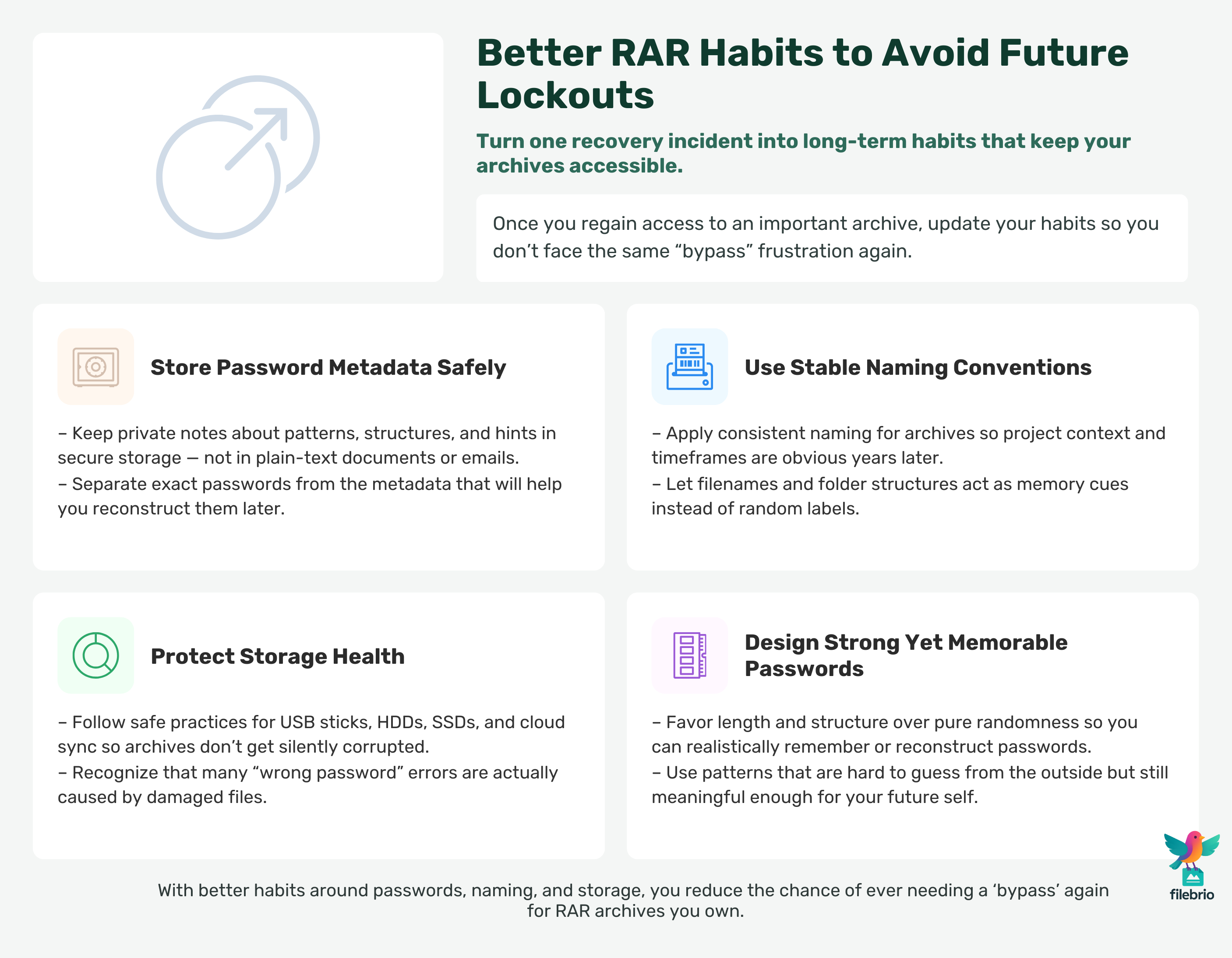
📈 Preventing Future Lockouts Through Better Habits
After regaining access, you can reduce the chance of future lockouts by improving your RAR handling practices.
1. Store Password Metadata Safely
Use secure offline storage for hints, patterns, and ownership notes. Insights from storing RAR password metadata ↗️ apply here.
2. Follow Stable Naming Conventions
Consistent naming habits improve long-term recall, as explored in guidance on how naming conventions reveal helpful clues ↗️.
3. Maintain Storage Health
To prevent corruption, follow best practices described in how to protect RAR files on storage devices ↗️. Proper storage avoids false “password errors” caused by damaged archives.
4. Use Strong Yet Memorable Passwords
Modern techniques allow you to create secure passwords that remain recallable long-term. See how to create strong, memorable RAR passwords ↗️ for practical strategies.
⚖️ Legal Reminder and Responsible Use
This article is provided for general informational and educational purposes only. Any examples, scenarios, or references to password recovery, archive security, or related tools (including FileBrio RAR Master or similar software) are intended solely to help you better understand how to protect and manage your own data.
You may only apply any techniques, workflows, or tools described here to files and archives that you fully own or are explicitly and verifiably authorized to access. Attempting to bypass, remove, or recover passwords for third-party data without clear permission may violate criminal law, civil law, or internal company policies in your jurisdiction.
Nothing in this article constitutes legal advice. Laws and regulations differ between countries and organizations, and you are solely responsible for ensuring that your actions comply with all applicable legislation, contracts, and internal policies. If you are unsure whether a particular action is lawful or permitted, consult a qualified legal professional before proceeding.
🔗 See Also: Related RAR Access & Safety Guides
- Resetting a RAR/WinRAR Password: Why Resets Don’t Exist and Your Real Options ↗️
- Unlocking a RAR Archive Without a Password: What’s Realistic ↗️
- Decrypting RAR/WinRAR Archives: What Decryption Really Means ↗️
- Why Offline Recovery Tools Are Safer for Privacy ↗️
- How to Diagnose a Locked RAR Archive Without Risking Data Loss ↗️
- How to Verify File Integrity After Successfully Accessing a RAR Archive ↗️
- How to Strengthen RAR Archive Security While Preserving Future Access ↗️