
How to Protect Sensitive Files While Allowing Authorized Recovery (Corporate Workflows)
In most companies, there is a constant tension between locking sensitive data down and making sure the right people can still get back in when something goes wrong. A critical project archive sits in a password-protected RAR file, the owner leaves the company, or a team forgets how they structured encryption years ago. Suddenly, your organization is stuck between strict security and real operational needs.
This article is written for security leads, IT admins, and compliance teams who manage RAR and WinRAR archives across departments. You’ll see how to design workflows that keep sensitive data protected, yet still allow documented, lawful recovery for authorized users — without risky ad-hoc “workarounds,” shadow IT tools, or uncontrolled password sharing.
We will walk through mapping your sensitive archives, defining ownership, structuring role-based access, and building offline recovery workflows that can be audited confidently. You will also see where professional tools like FileBrio RAR Master fit into that picture, and how to avoid the common trap of creating security so strong that even your own organization can no longer function.
🧭 Navigation
Important
The information provided in this article applies exclusively to RAR / WinRAR archives for which you have full, demonstrable ownership or properly documented authorization. If you are not the rightful owner of the data, do not directly control it, or cannot clearly prove permission to access it, you must stop immediately. Attempting to access, recover, or modify data without explicit authorization may violate criminal law, civil statutes, corporate compliance requirements, and privacy regulations in many jurisdictions. You alone are responsible for ensuring that your actions are lawful and properly permitted before proceeding.
📌 TL;DR — Corporate Protection and Authorized Recovery in One View
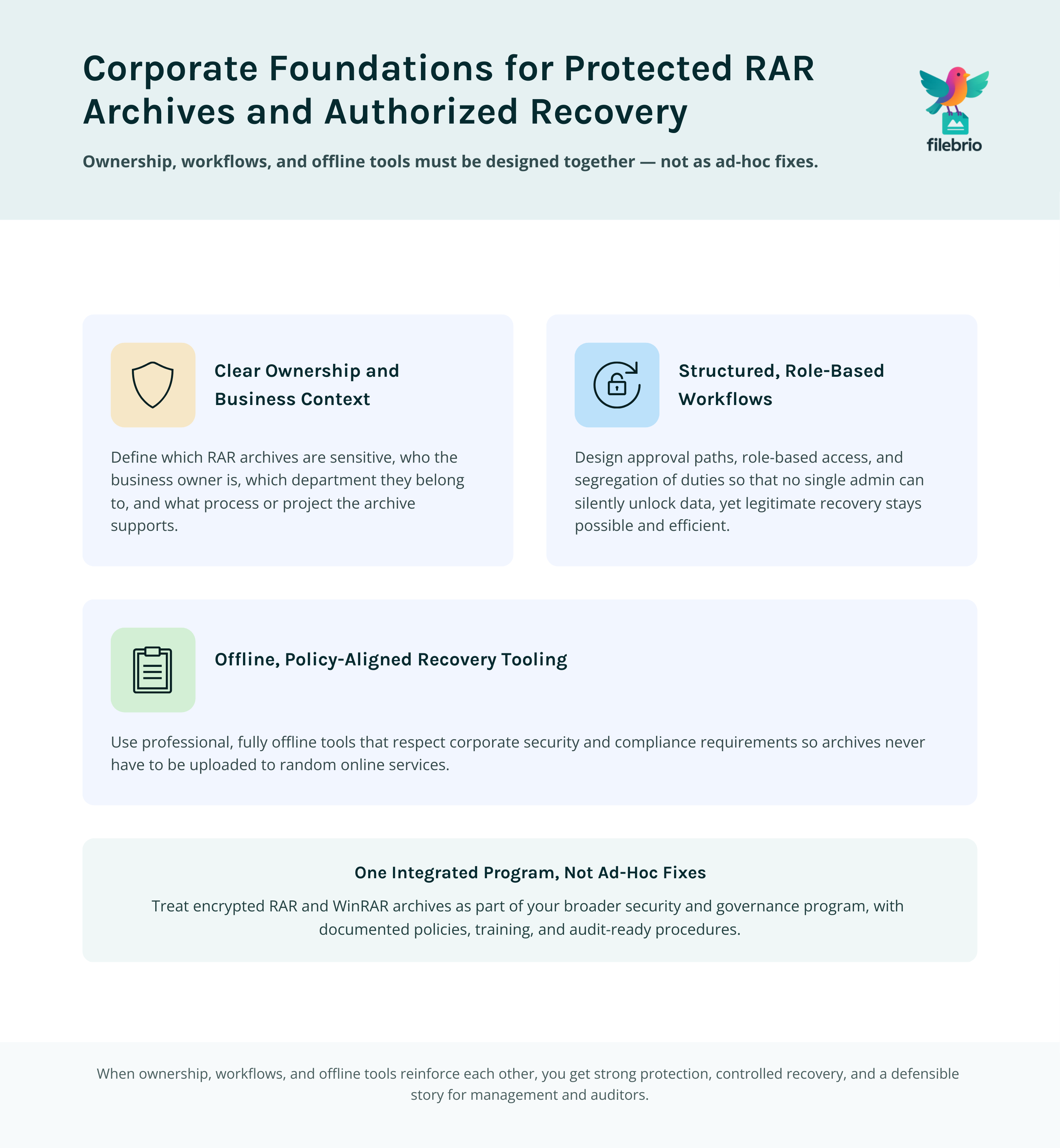
Short version: you can protect highly sensitive RAR archives in your organization and still allow legitimate recovery, but only if you design this intentionally. Treat password-protected RAR or WinRAR files as part of your overall security program, not as isolated ad-hoc containers sitting on individual laptops.
At a high level, you need three building blocks: clear ownership, structured workflows, and offline recovery tools that respect privacy and compliance. First, classify which archives are sensitive, who legitimately “owns” them, and what business process they belong to. Then, define role-based access and approval paths so that no single administrator can secretly unlock data, yet authorized recovery is still possible when someone forgets a password, leaves the company, or a department reorganizes.
Next, ensure password metadata and ownership evidence are stored securely but are discoverable during audits or incident response. Finally, build offline recovery workflows with professional tooling so archives never need to be uploaded to random online services. Combined with training and a clear legal framework, this gives you strong protection, controlled recovery, and an auditable story you can explain to management, auditors, and regulators.
🧠 Understanding the Corporate Tension Between Security and Recovery
In corporate environments, security programs often emphasize “lock it down” messages: encrypt sensitive archives, restrict access, and limit who can see what. For RAR and WinRAR archives, this commonly means strong passwords, encrypted headers, and storage on secured infrastructure. That is essential — but if not paired with recovery planning, you introduce a different risk: your own organization losing access to its own data.
Typical scenarios include:
- A key employee leaves the company or goes on extended leave with no documented password handover.
- A project team stores sensitive material in a RAR file, but years later no one remembers the context of the password they chose.
- Archives are scattered across endpoints and file shares, with no central overview of who is responsible for which encrypted container.
From a security perspective, randomly relaxing protection isn’t acceptable. Yet from a business perspective, “we lost the password and now no one can access the archive” is just as unacceptable. Corporate workflows must therefore reconcile two goals: preserve confidentiality and guarantee controlled, legitimate recovery when the organization itself is the rightful owner.
This is where a structured, workflow-based approach is crucial. You design how encrypted archives are created, documented, and recovered in the same way you design any other sensitive process — with clear roles, approvals, and logging, not improvised fixes.
🧩 Mapping Sensitive RAR Archives, Owners, and Business Context
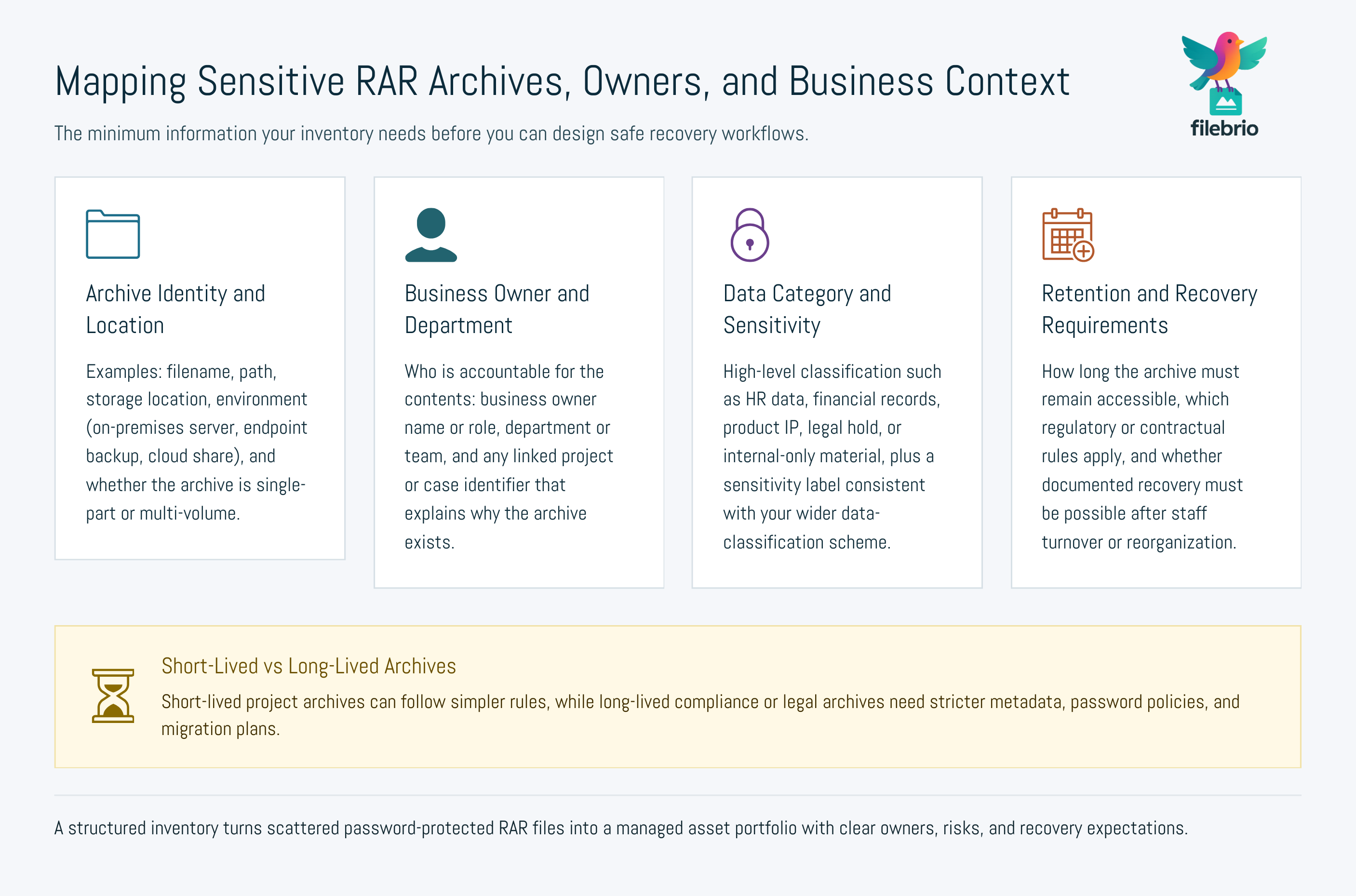
The first practical step is visibility. Before you can protect sensitive files and design recovery, you need to know which RAR archives actually matter and why. That typically starts with an inventory:
- What archives exist? Identify RAR/WinRAR archives across servers, file shares, endpoint backups, and cloud storage.
- What do they contain? At least at a high level: project names, departments, data categories (HR, finance, product IP, etc.).
- Who is responsible? Assign a “business owner” and possibly a technical owner (e.g., application or system owner).
- Why are they encrypted? Regulatory requirements, contractual commitments, internal risk controls, or simply best practice.
Once this map is in place, you can design a secure workflow for working with encrypted archives so teams know how to design a secure workflow for your encrypted files ↗️ instead of inventing their own ad-hoc methods.
At this stage, it is also helpful to distinguish between archives that must stay accessible for years (for example, compliance or legal holds) and those that are short-lived. Long-lived archives require stronger planning around password rotation, metadata storage, and eventual migration to newer formats or policies.
💼 All-in-One Workspace for Corporate RAR Security and Recovery
In many organizations, RAR archives appear in dozens of small tools and scripts used by different teams. That fragmentation makes it very difficult to maintain consistent security policies or to prove, during an audit, that your recovery processes are controlled and lawful.
FileBrio RAR Master is designed to serve as a centralized, offline “workspace” for handling your own RAR and WinRAR archives. Instead of juggling multiple utilities, teams can work inside one environment that aligns with corporate security requirements:
| Need | Corporate Concern | How a Unified Tool Helps |
|---|---|---|
| Protect sensitive archives | Prevent leaks and unauthorized access | Offline-only processing keeps data on corporate devices |
| Enable authorized recovery | Employees forget passwords or change roles | Controlled recovery workflows with documented ownership |
| Maintain auditability | Need to prove actions were legitimate | Repeatable, policy-aligned steps instead of “one-off fixes” |
Security teams can combine a rich feature set — summarized in the full FileBrio RAR Master features ↗️ overview — with internal policies and documentation so administrators operate consistently. This makes it easier to train staff, standardize approvals, and respond to questions from auditors or external partners.
________________________
FileBrio RAR Master — part of the FileBrio Office Suite — is a privacy-first, offline Windows toolkit for diagnosing and safely regaining access to your own password-protected RAR / WinRAR archives.
- Local processing only — nothing leaves your PC.
- Smart diagnostics to separate password issues from corruption.
- Owner-verified recovery workflows designed strictly for legitimate use.
Reminder: FileBrio RAR Master may be used only with archives you own or are explicitly authorized to access. It performs all analysis and recovery operations locally on your device, without uploading data anywhere.
________________________
🧪 Safe Diagnostic Steps Before Touching Live Production Data
Before anyone attempts recovery on a real production archive, it is vital to understand what exactly is wrong. Is the issue a forgotten password, potential corruption, a format mismatch, or a process problem? Diagnosing this carefully helps avoid accidental data loss and unnecessary risk.
As part of your workflow, define a standard “diagnostic checklist” that administrators follow when a team reports that they can no longer access a sensitive RAR file. This might include:
- Validating that the file is indeed a RAR/WinRAR archive and not a renamed or partial file.
- Checking whether there are recent backups or alternative copies where the password is still known.
- Verifying that the user requesting help is authorized and that ownership is documented.
- Inspecting basic metadata and error messages from WinRAR or other tools.
Corporate teams benefit from a structured approach to how to safely diagnose your locked RAR file ↗️ instead of trial-and-error attempts. The goal is to avoid making the situation worse: overwriting data, corrupting archives, or spreading sensitive files to systems and people who should not see them.
Only when diagnostics confirm that the file is intact, the organization owns it, and recovery is justified should you move on to password recovery procedures aligned with your policy.
🔑 Designing Role-Based Access and Approval Workflows
In corporate environments, no single person should be able to silently unlock any archive they choose. At the same time, recovery cannot be so bureaucratic that legitimate teams are blocked for weeks. The answer is a role-based, approval-driven model.
Key elements typically include:
- Clear roles: business owners, data stewards, system administrators, and security/compliance reviewers.
- Approval rules: for example, recovery requests for “highly confidential” archives require both the business owner and security to approve.
- Segregation of duties: the person who approves should not be the one performing the technical recovery, where feasible.
- Logging: each request and action is recorded, including who initiated it, why, and what was done.
To support consistent password quality across these workflows, many organizations formalize how to design secure password rules for your business RAR files ↗️. That way, passwords are strong enough to resist unauthorized guessing, yet still manageable within your metadata and recovery processes.
By combining strong passwords, role-based access, and clear approvals, you create an environment where authorized recovery is possible without granting any single administrator unchecked power.
🗂️ Storing Password Metadata and Ownership Evidence Safely
One of the most common reasons corporate archives become inaccessible is not cryptography — it is missing context. Years later, no one remembers who created the file, which project it belongs to, what the password pattern was, or why a specific protection choice was made.
Your workflows should therefore treat password metadata and ownership evidence as first-class assets. For team-managed archives, you can rely on centralized practices such as how teams can organize shared RAR password metadata ↗️, supported by secure vaults or password management systems with strong access controls.
At an enterprise scale, organizations also need to preserve continuity across reorganizations, mergers, and staff changes. That aligns well with guidance on how teams can preserve long-term access to encrypted RAR files ↗️, ensuring that knowledge does not vanish when a single employee leaves.
Equally important is the ability to prove that the organization legitimately owns the data inside a protected archive. Corporate workflows can adopt patterns such as:
- Requiring project IDs, ticket numbers, or legal case IDs in archive comments or associated metadata.
- Keeping signed records or system logs that show when and why an archive was created.
- Capturing which department and role are designated as long-term “custodians” of the archive.
When questions arise, security teams can fall back on established practices for ways to document ownership of your encrypted RAR file ↗️ and broader methods on how to document control of your sensitive encrypted files ↗️ to show that recovery actions were justified and lawful.
🛡️ Secure Offline Recovery Workflows for Legitimate Access
Once ownership, authorization, and diagnostics are clear, you still need a practical way to help teams regain access — without breaking your own privacy and compliance commitments. That is where secure, offline tools and standardized procedures matter.
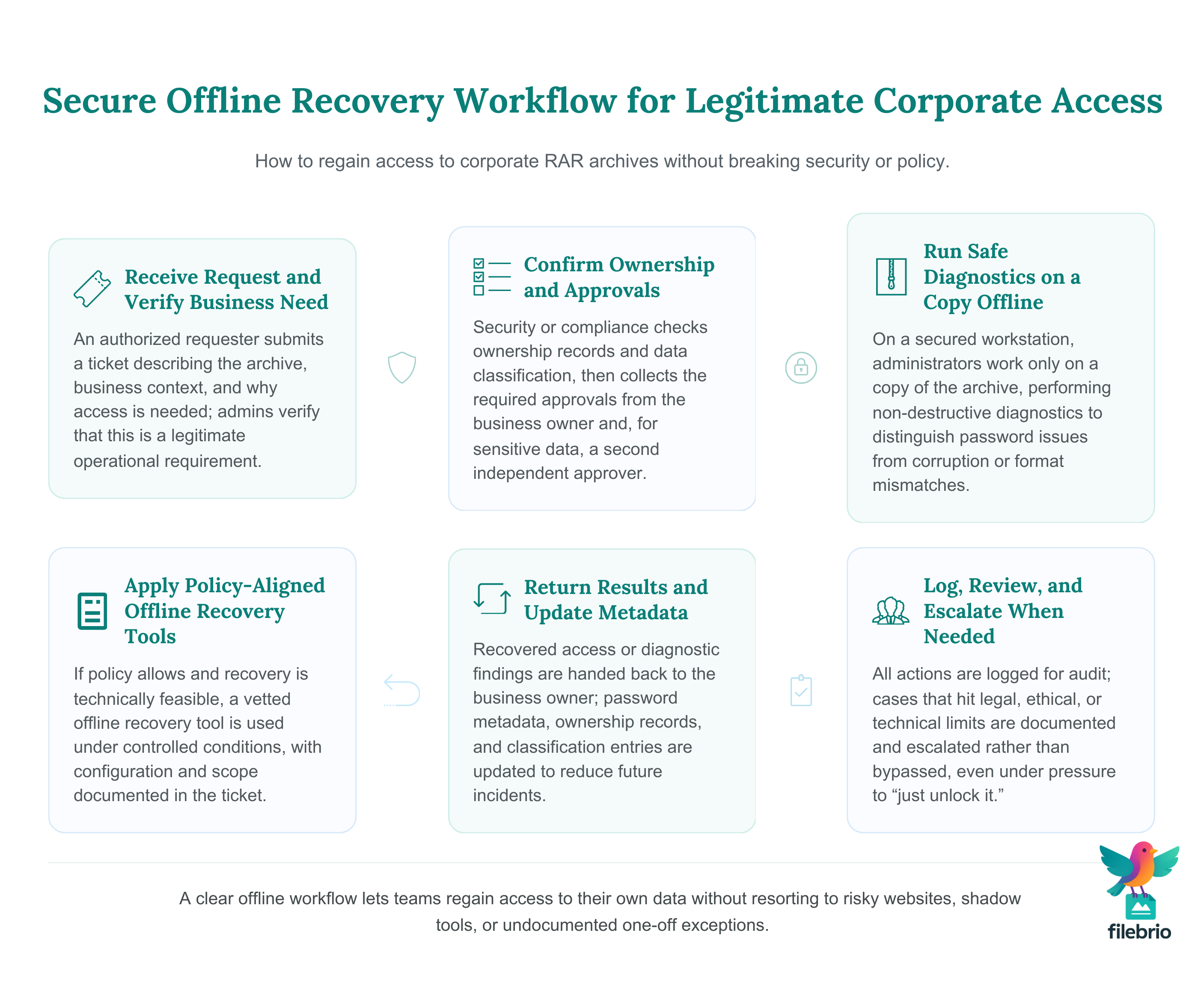
From a corporate standpoint, the minimum requirements usually include:
- Offline processing: archives remain on corporate-controlled systems, never uploaded to external sites.
- Controlled environment: hardened workstations or servers where only authorized admins can operate.
- Documented inputs: tickets, approvals, and evidence attached to the recovery task.
- Recorded outputs: whether recovery worked, what was returned to the business owner, and any follow-up actions (such as password rotation).
In such workflows, a dedicated RAR password recovery tool ↗️ that runs entirely locally can be integrated into your runbooks. Combined with guidance on how to reinforce protection of your encrypted RAR files ↗️, this allows teams to both regain access and update their protection so the same incident is less likely to happen again.
Because offline tools operate within your own infrastructure, they fit naturally into privacy-first policies and make it easier for legal and compliance teams to sign off on your recovery procedures.
________________________
FileBrio RAR Master — a secure, offline Windows toolkit for regaining access to your own password-protected RAR / WinRAR archives while keeping all data strictly on your device.
- Offline-only processing — never uploads your archives.
- Smart issue detection — password vs corruption.
- Fast recovery workflow optimized for legitimate ownership.
⬇️ Download FileBrio RAR Master
Reminder: FileBrio RAR Master is intended only for archives you own or are explicitly authorized to access. All operations run locally on your PC.
________________________
🧱 Hard Limits: When Recovery Must Be Refused or Escalated
Even with strong workflows and tools, there will be cases where recovery is not appropriate — or not technically feasible. Your policies must explicitly cover these “no-go” situations so administrators are protected from pressure and the organization remains compliant.
Typical examples include:
- The requester cannot demonstrate that the organization owns the archive or is authorized to act on behalf of the owner.
- Metadata and logs contradict the request (for example, the archive is associated with a different department or legal entity).
- The archive appears to belong to a private individual or external party, with no contractual basis for access.
Security teams can use the same principles described in how to verify ownership before accessing your RAR file ↗️ to validate corporate requests. When in doubt, the process should escalate to legal or compliance rather than leaving the decision to a single administrator.
On the technical side, your organization must accept that some archives may be effectively unrecoverable because of strong cryptography, missing metadata, or other structural constraints. In those cases, any attempt to “force” access would only consume resources and increase risk without realistic benefit.
📈 Governance, Auditing, and Long-Term Continuity
Protecting sensitive files while allowing recovery is not a one-time project. Policies, tools, and business structures evolve. To keep your workflows effective, you need ongoing governance and continuous improvement.
A robust program usually includes:
- Regular reviews: periodically revisit which archives are considered sensitive and who is listed as owner or custodian.
- Training: ensure admins and business users know how to request recovery, when it is allowed, and what evidence is required.
- Testing: use non-sensitive, dummy archives to rehearse processes and validate that they actually work as designed.
- Migration planning: move older archives to updated formats and workflows before they become legacy liabilities.
Practical guidance on ways to safeguard your protected corporate RAR files ↗️ is complemented by broader security practices, such as legal factors when accessing your encrypted RAR files ↗️ and storage-focused recommendations like ways to prevent losing your RAR data on storage devices ↗️. Together, these help you maintain a consistent story from policy, to tooling, to day-to-day operations.
It is also wise to align your workflows with vendor guidance and official channels. When using specialized tools such as FileBrio RAR Master, keep an eye on the legal and responsible use policy ↗️ and ensure your internal documentation reflects those boundaries. For secure installation and updates across your fleet, use the official FileBrio downloads ↗️ page as your primary distribution point.
Over time, this governance model reduces surprises. When an access issue appears, your teams already know which process to follow, which tools to use, and how to prove that any recovery actions were legitimate and tightly controlled.
⚖️ Legal Reminder and Responsible Use
This article is provided for general informational and educational purposes only. Any examples, scenarios, or references to password recovery, archive security, or related tools (including FileBrio RAR Master or similar software) are intended solely to help you better understand how to protect and manage your own data.
You may only apply any techniques, workflows, or tools described here to files and archives that you fully own or are explicitly and verifiably authorized to access. Attempting to bypass, remove, or recover passwords for third-party data without clear permission may violate criminal law, civil law, or internal company policies in your jurisdiction.
Nothing in this article constitutes legal advice. Laws and regulations differ between countries and organizations, and you are solely responsible for ensuring that your actions comply with all applicable legislation, contracts, and internal policies. If you are unsure whether a particular action is lawful or permitted, consult a qualified legal professional before proceeding.
🔗 See Also: Related RAR Security Articles
- Forgot Your RAR Password? Practical Ways to Regain Access to Your Own Archive ↗️
- How to Confirm Whether Your RAR Archive Is Still Technically Recoverable ↗️
- Understanding Multi-Volume RAR Archives: Password Behavior and Repair Options ↗️
- How to Share Encrypted RAR Files Safely with Colleagues or Clients ↗️
- How to Prevent RAR Data Loss on USB Drives, HDDs, and Cloud Storage ↗️
- Why Offline Recovery Tools Are Safer for Privacy ↗️
- Restoring Access to RAR/WinRAR Archives: Safe and Legal Methods for Handling Your Own Files ↗️